
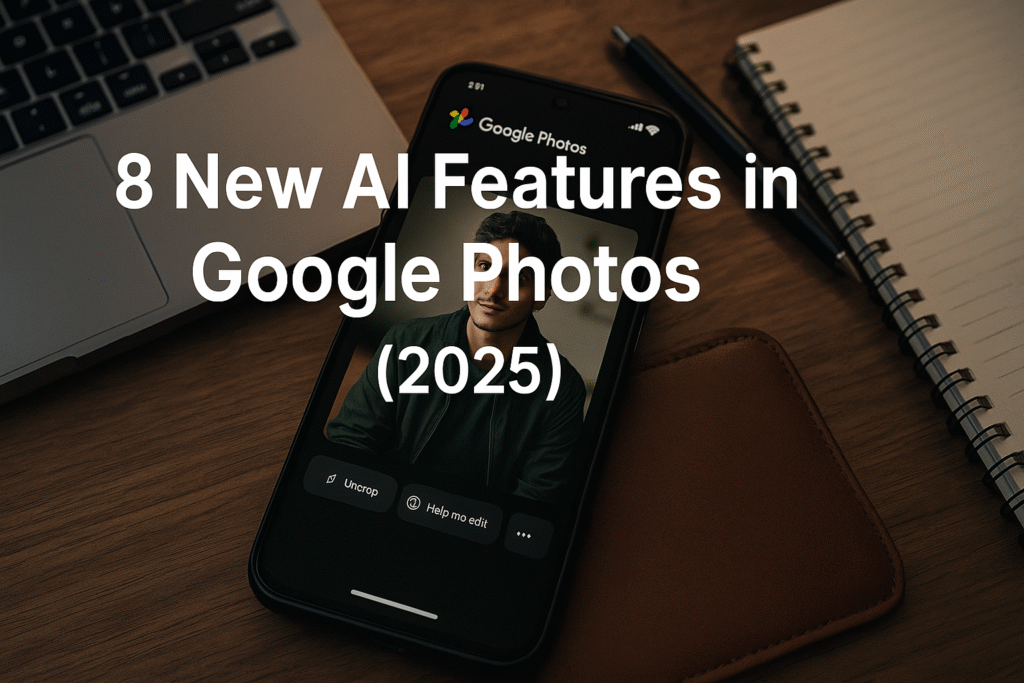
🔍 Why This Matters Right Now
Your photo library is no longer just a storage box.
With the latest AI upgrade, Google Photos is turning your memories into creative assets, dynamic media, and intuitive search experiences — all powered by text/voice prompts, templates and next-gen visual models.
Whether you’re a creator, social-media user, parent documenting family moments, or someone who just loves clicking pictures — these eight new AI features elevate what you can do with Google Photos.
In this blog you’ll discover:
- The eight standout AI updates in Google Photos
- What they mean for you (both globally & in India)
- How to use them step-by-step
- Creative and practical uses beyond simple edits
Let’s dive in.
1 | Edit by Simply Asking (Text or Voice)
One of the biggest leaps: you no longer need to navigate tools, select layers, or adjust sliders.
You can simply type or speak what you want.
What you can do:
- “Remove those sunglasses in the background.”
- “Open my eyes and shorten the dress.”
- “Make the kitchen wall more pastel pink.”
How to use it (step-by-step):
- Open Google Photos → pick a photo.
- Tap Edit → select Help me edit.
- Type your request or tap the microphone for voice.
- Review the changes; refine if needed by adding follow-up prompts.
Why it matters:
This lowers the barrier to high-quality edits — you don’t need design skills or hours of learning. For Indian users with mobile workflows, this is especially powerful.
2 | Create Stunning Styles with Nano Banana (AI Model)
Google introduced the “Nano Banana” visual model inside Google Photos’ Create tab. This allows radical transformations of your photo style.
What you can do:
- Turn a photo into a Renaissance painting.
- Convert into anime style, mosaic tile effect, or 3D sculpted look.
- Use pre-built templates: “High-fashion photoshoot,” “Winter holiday card,” etc.
How to use it:
- Open Google Photos → tap Create tab.
- Choose Create with AI → select a template or “Describe your style.”
- Choose the photo → apply the style → export/share.
Why it matters:
For creators and social media users, this means fresh visuals without Photoshop. In India, where Instagram/Reels are huge, this feature helps produce high-impact imagery fast.
3 | Photo-to-Video Transformations
Static images are getting a major upgrade. With new tools, you can animate your photos into short video clips — adding subtle motion or full animation.
What you can do:
- Use “Subtle movements” → animate water ripples, hair flow, tree branches.
- Use “I’m feeling lucky” → more dynamic effects.
- Turn last year’s vacation photo into a mini video you can post as a story.
How to use it:
- In Google Photos, open a photo → choose Photo to video (or similar label under Create).
- Select your animation style (“Subtle movements” etc.), apply.
- Export as a short MP4 clip → share to YouTube Shorts / Reels.
Why it matters:
Video content dominates social feeds. Being able to create short video clips from old photos means instantly relevant content without shooting new footage.
4 | Smart Search & “Ask” Button: Explore Your Memories Intelligently
Beyond editing and creation, Google Photos is adding powerful AI search capabilities.
What you can do:
- Tap the new Ask button on any photo.
- Ask “Where was this taken?” or “Find similar photos where I’m smiling.”
- Use natural-language queries to search across text, image context, dates.
How to use it:
- While viewing any image, tap Ask.
- Type or speak queries like: “Show me all photos of my dog with red collar.”
“Find pictures from Kerala trip 2023.” - Photos returns relevant images — you can choose to edit or share.
Why it matters:
This turns your camera roll into a smart assistant. For Indian users with thousands of photos, this means finding memories effortlessly, not just editing them.
5 | AI Templates for Instant Creativity
No prompt? No problem. Google is adding ready-made templates inside Create with AI, covering popular styles and usages.
What you can do:
- Choose “Professional headshot” template → upload photo → instant effect.
- Choose “High-fashion photoshoot” or “Retro comic style.”
- Use for school projects, portfolio pictures, brand visuals.
How to use it:
- Navigate Create tab → Create with AI → Browse templates.
- Select a template → pick photo → apply → export/share.
- Optionally refine by editing text or style parameters.
Why it matters:
Templates let non-designers produce high-quality visuals quickly. In India’s rising creator economy, this is a huge win.
6 | Personalized Face-Group Edits & Context-Aware Changes
Another standout: Google uses your existing photo collection and face groups to make contextually aware edits.
What you can do:
- In a group photo: ask “Shorten my dress, remove that hat, open eyes.”
- The tool uses your past photo data to generate realistic results personalized to you.
How to use it:
- Ensure face groups are enabled in Google Photos settings.
- Open a group photo → tap Edit → “Help me edit” → type your instructions.
- Review and refine as needed.
Why it matters:
Human faces, expressions, and contexts are hard to edit realistically. This AI handles subtleties, making final images look natural — ideal for family photos, social media, portfolios.
7 | Privacy & Transparency: AI-Edited Image Credentials
With all this power comes the need for trust. Google is adding transparency features.
What you can do:
- See a badge or metadata indicating the photo was edited with AI.
- Access C2PA Content Credentials that show edits, model used, date.
How to use it:
- Select an image → View Info / Details → check for “Edited with AI” badge.
- Toggle similar features in settings if you want visibility or hide the badge.
Why it matters:
Especially in professional or influencer contexts, knowing an image was edited responsibly increases credibility. It also helps users understand when AI has changed a photo.
8 | Regional Availability & Indian-Specific Roll-Outs
While many features launched in the U.S., India is now included in global roll-outs — making it relevant for Indian users too.
What you should know:
- Features like “Create with AI” templates are available in India this week. blog.google+1
- Some features (e.g., conversational editing) still roll out in phases; check your app version and region. blog.google+1
- For Android users in India: update Google Photos app → check Create tab for new features.
Why it matters:
Earlier, advanced AI editing was region-locked or device-limited. Now it’s accessible to Indian users — making this global update highly relevant in India too.
✅ How to Make the Most of These Features (Tips & Best Practices)
A. Update and check your App
- Ensure Google Photos is updated to the latest version.
- On Android: open Play Store → My Apps → Google Photos → Update.
- On iOS: open App Store → Updates → Google Photos.
B. Backup your library (just in case)
Before trying big edits, backup original images. You can revert or export originals.
C. Try one feature at a time
Start with a small photo.
- Use the Ask button,
- Then try a style template,
- Then photo-to-video.
Assess how each works for you.
D. Use for real-world purposes
- Create standout visuals for Instagram or YouTube.
- Turn a travel photo into a short video clip for WhatsApp or Telegram.
- Use AI editing for family or event photos — save time, get better results.
E. Mind the hardware and region
Some features may be device-locked (Pixel devices first) or region-specific. If you don’t see a feature yet, it may roll out soon. TechRepublic
F. Respect privacy & ethics
When you edit or create with AI:
- Be aware when you’re changing faces or backgrounds.
- If sharing professionally, mention “Edited with AI” where appropriate.
- Use family member’s photos responsibly.
🎯 Final Thoughts: Your Photo Library Just Got a Power-Up
What started as a simple gallery app is now a creativity engine. With these 8 AI features in Google Photos, you can:
- Edit smarter, not harder
- Animate memories
- Search your library intuitively
- Create content that stands out
- Use high-end visuals without high-end expense
Whether you’re a creator, a student, a parent documenting moments, or a professional building a visual brand — these tools allow you to do so much more.
And the best part? For Indian users, the rollout is live or imminent — making this the ideal time to explore and experiment.
Open Google Photos today, and let your images do more than sit in storage.
Let them become your creative toolbox.