
7 Powerful Things Google Gemini Features (That Most People Don’t Use)
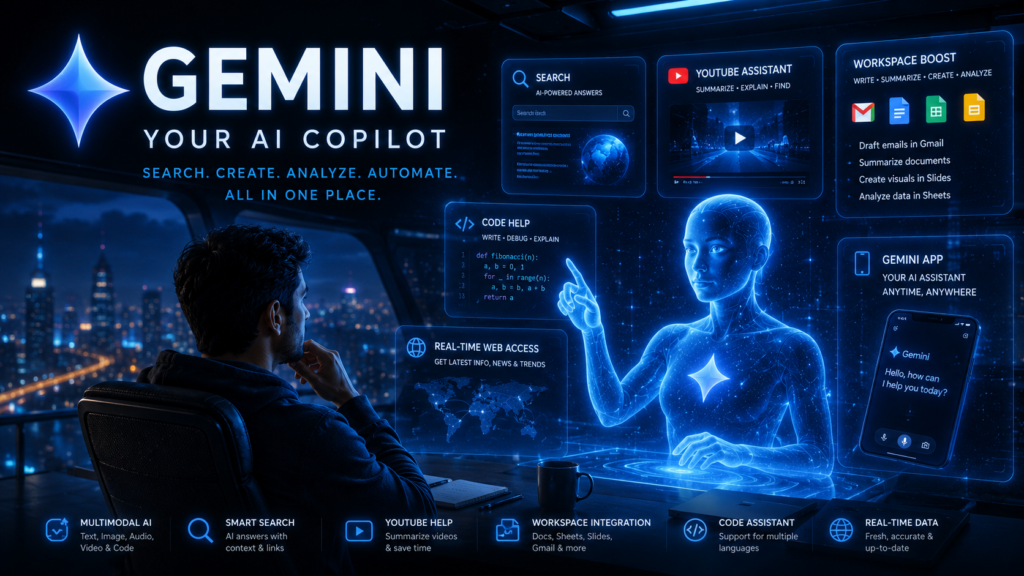
Most People Use Gemini Like a Chatbot
They ask questions.
Get answers.
And stop there.
But Gemini can do much more than simple conversations.
Because it sits inside Google’s ecosystem, it can become a powerful productivity assistant.
Here are seven powerful Google Gemini features capabilities that can save time and improve how you work.
1. Understand Multiple Types of Information at Once
Most people think AI only understands text.
Gemini can work with:
- text
- images
- audio
- video
- code
This is called multimodal AI.
Instead of explaining something in words, you can simply upload an image, screenshot, or document and ask questions about it.
2. Search the Web Smarter
Traditional search gives you:
- links
- links
- more links
Gemini helps by:
- summarizing information
- providing context
- helping you understand results faster
Instead of opening ten tabs, you can often get a useful overview immediately.
3. Save Time on YouTube Learning
Long videos are useful.
But they are also time-consuming.
Gemini can help you:
- summarize videos
- identify key takeaways
- answer questions about content
This can dramatically reduce learning time.
4. Supercharge Google Workspace
This is one of Gemini’s biggest advantages.
Inside Google Workspace, Gemini can help with:
Gmail
- draft emails
- improve responses
- summarize conversations
Docs
- generate content
- rewrite text
- summarize documents
Sheets
- analyze data
- identify patterns
- generate insights
Slides
- create presentations
- generate visuals
- improve structure
5. Get Coding Help (Even If You’re Not a Developer)
You don’t need to be a programmer to benefit.
Gemini can:
- explain code
- troubleshoot errors
- generate scripts
- automate simple tasks
Even non-technical users can use this to understand and modify existing code.
6. Use Gemini as Your Everyday AI Assistant
Gemini is available through:
- Android
- iPhone
- web
You can use it for:
- planning
- brainstorming
- writing
- learning
- productivity
Many users are now using it as a daily assistant rather than a search tool.
7. Access Real-Time Information
One of Gemini’s biggest strengths is access to current information.
This helps with:
- news
- trends
- market updates
- recent developments
For time-sensitive topics, this can be extremely valuable.
The Real Insight
Most people think AI is about getting answers.
The real value is:
👉 reducing effort
The more routine thinking, searching, summarizing, and organizing you can delegate to AI, the more time you free up for meaningful work.
Final Thoughts
Google Gemini is much more than a chatbot.
Used properly, it can become:
- a researcher
- a writer
- a planner
- a learning assistant
- a productivity partner
The people getting the biggest benefit from AI are not necessarily the most technical.
They’re the ones who learn how to use it consistently.
What to Read Next
- 21 Gemini Prompts That Save Hours Every Week
- Complete Roadmap to Learn Generative AI
- How to Learn Faster Using ChatGPT
- Best Programmers Don’t Write Code Anymore?
Notion Pack
Work Intelligence Prompt Pack – Download here